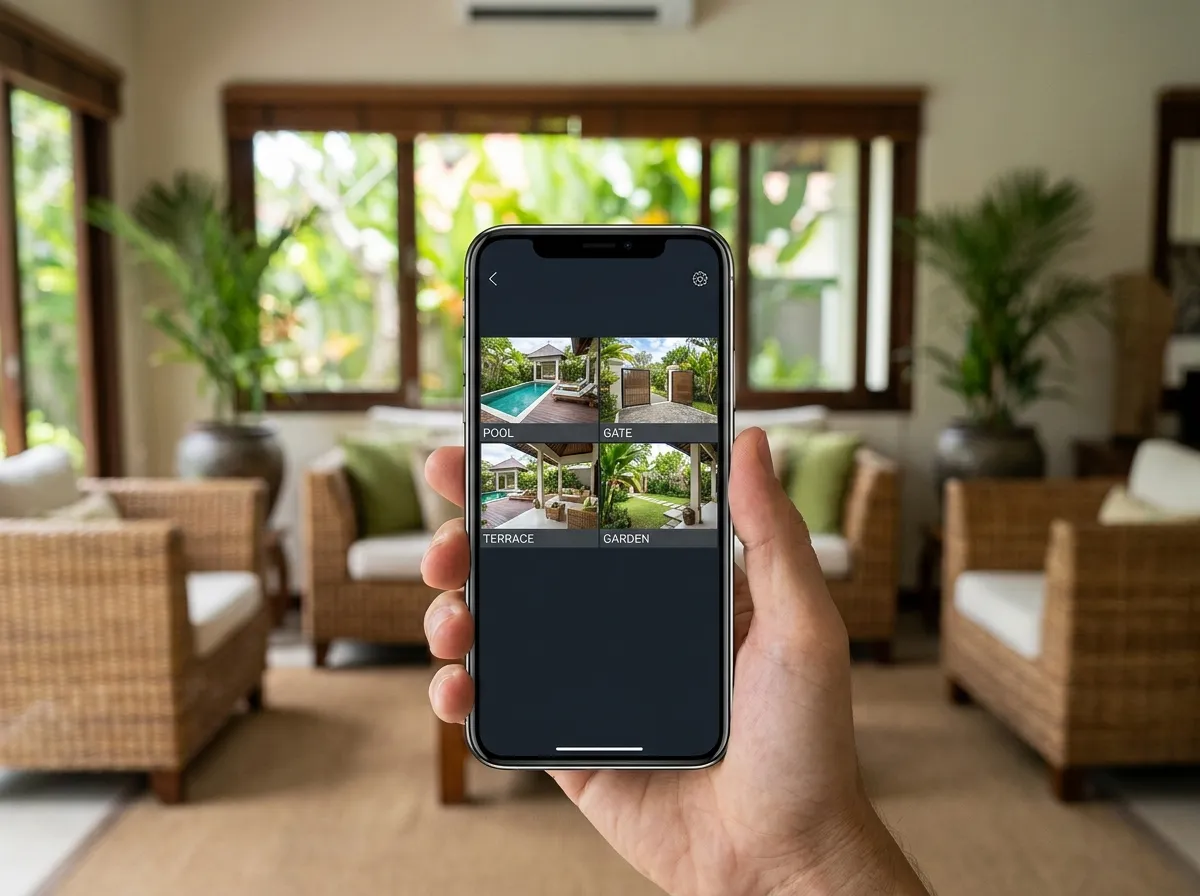
Remote view is the feature most Bali villa owners want from their CCTV system — and the one that's most often not set up correctly at installation. A system where the cameras are recording locally but remote view wasn't configured or stopped working is extremely common in Bali. The issue is usually one of three things: router port forwarding that gets reset after an ISP-assigned IP address change, P2P cloud service that needs re-registration after a firmware update, or DDNS that was configured on the old ISP and not updated. All of these are fixable without replacing any hardware.
Remote View Configuration Options
P2P Cloud Connection
Modern Dahua and Hikvision NVRs support P2P cloud connection — the NVR connects to the manufacturer's cloud server, and the smartphone app connects to the same cloud server. No port forwarding or static IP required. Works through most Bali ISP NAT configurations. The simplest and most reliable method for most Bali villa installations.
Port Forwarding Setup
Traditional remote access method: specific ports on the router are forwarded to the NVR. Requires a static IP from the ISP (additional cost from IndiHome/Biznet) or a DDNS service to handle dynamic IP changes. More reliable than P2P for very high-uptime requirements, but needs updating when router or ISP settings change.
VPN Remote Access
OpenVPN or WireGuard VPN configured on the villa router allows secure remote access to the entire local network, including NVR. Most secure option — NVR is not directly exposed to the internet. Requires a router that supports VPN server function. Best for commercial and high-security installations.
Smartphone App Training
We configure and test the app on your phone before leaving, including live view and recording playback. We also configure a second phone for a property manager or trusted contact. Basic remote view operation takes 10 minutes to learn; we take that 10 minutes at installation.
Common Questions
Why did my CCTV remote view stop working?
The most common causes in Bali: the ISP changed your dynamic IP address and DDNS wasn't configured to follow it; the router was reset or replaced and port forwarding rules were lost; or a firmware update reset the P2P cloud registration. All three are fixable — WhatsApp us the camera brand and NVR model and we can usually diagnose over WhatsApp before needing a site visit.
Do I need a static IP from my ISP for remote CCTV viewing?
Not necessarily. Modern Dahua and Hikvision NVRs support P2P cloud connection that doesn't require a static IP or port forwarding — the NVR connects to the manufacturer's cloud and you access it via the app. For more reliable professional installations, a DDNS service (free from most manufacturers) plus port forwarding is more stable long-term.
How We Set Up Remote Viewing
Every remote-view job starts with identifying which method suits your situation. For most Bali villas we use P2P cloud connection — the NVR registers with the manufacturer cloud, the app connects to the same cloud, and no static IP or port forwarding is needed, which sidesteps the NAT problems common on Bali ISP connections. Where a property needs the most reliable possible link we set up port forwarding with a DDNS service to handle the ISP's changing IP, and for commercial or high-security sites we configure a VPN so the recorder is never directly exposed to the internet.
Whatever the method, we do not consider the job done until it is tested from outside the local network. We connect over a cellular connection or a separate network, confirm live view and recording playback both work, and only then set the app up on your phone — plus a second device for a manager or trusted contact if you want one. We finish by showing you how to use it, because a remote-view system you cannot confidently operate is only half installed. This is the same configuration step we run at the end of every IP CCTV installation.
Remote Viewing Setup Pricing in Bali
Setup and troubleshooting are usually quick visits. Guide ranges below.
| Service | Guide Price (IDR) | Notes |
|---|---|---|
| Remote view setup / troubleshooting | 250,000–500,000 | On-site or remote |
| DDNS + port forwarding configuration | 250,000–500,000 | Per site |
| VPN remote access setup | 500,000–900,000 | Commercial / high security |
Often we can diagnose the issue over WhatsApp first. Full ranges are on the pricing page.
CCTV Coverage Across Bali
Remote View Not Working?
Tell us the camera brand and NVR model — we can often diagnose the remote view issue over WhatsApp before needing a site visit.
WhatsApp for Remote View Help